The Construction-First Alternative to PandaDoc
PandaDoc is a solid general-purpose document and e-signature platform for sales teams. Takeoff Convert is built specifically for contractors: describe the job or upload the takeoff and get an itemized, locally-priced proposal your client can e-sign. No CRM bloat, no generic sales templates. From $29/month.
Stay on PandaDoc if…
PandaDoc is excellent document software: templates, a content library, approval workflows, CRM integrations, analytics on who read what, and e-signature that holds up. A construction company with a sales team, a CRM and legal-reviewed contract language will get real value from it. What it does not do is estimate.
- You have a sales team and a CRM and the proposal is one document in a longer sales process.
- Legal has approved contract templates you must not deviate from.
- You send many non-bid documents: NDAs, subcontracts, HR forms.
- Estimating happens elsewhere and you only need the document layer.
Starter ~$19 and Business ~$49 per user per month, Enterprise custom (vendor site, Nov 2026)
Switch to Takeoff Convert if…
- You feel this on PandaDoc: retyping every line item into a pricing table by hand
- You feel this on PandaDoc: generic sales templates with nothing construction-specific
- You feel this on PandaDoc: per-user pricing that climbs with each estimator
- You quote your own jobs and want the describe-the-job estimate, the proposal, the e-signature and the deposit in one flow.
- You want every AI price to carry a source: BLS metro wages for labor, a named supplier page for materials.
Free for 3 quotes, then $29/month flat, no per-seat pricing
Takeoff Convert vs PandaDoc: 15 capabilities
PandaDoc column as listed on their site and in public documentation on Nov 6, 2026. Verify current details before you buy; vendors change plans.
| Capability | Takeoff Convert | PandaDoc |
|---|---|---|
| Primary job | Describe-the-job estimating that ends in a signed, paid proposal. Nothing else. | Creating, sending, tracking and signing business documents of any kind. |
| Describe-the-job AI estimate | Yes. Type or say the job; the AI writes scope, quantities and line items in about a minute. | No. An AI writing assistant drafts text; it does not produce quantities or prices. |
| Import an existing takeoff or bid | Yes. PDF, Excel or CSV takeoff and bid imports become priced lines; alternates and allowances are kept. | No. Pricing tables are filled by hand or from a product catalog. |
| Where labor prices come from | Hours × the BLS OES mean wage for the trade in your metro × burden, with the series cited on the line. | Whatever you type into the pricing table. |
| Where material prices come from | A live supplier price found on the web, with the retailer page and date cited on the line. | Your catalog items; no live supplier pricing. |
| Your own price book learns | Your price book always wins; after 3 won jobs a line's learned price becomes the default. | Product catalog with fixed prices; it does not learn from won jobs. |
| Scope narrative in the proposal | Yes. A written scope of work per section, editable in chat ('make it two coats'). | Yes, if you write it or keep it in the content library; nothing is generated from the job. |
| Branded proposal templates | 8 branded templates, 4 designs, your logo and colors; Word and PDF export. | Yes, a large template gallery and a drag-and-drop editor. |
| E-signature | Hosted accept-and-sign page; you are notified the moment it is signed. | Yes, legally binding e-signature with audit trail; a core strength. |
| Deposit collected from the proposal | Yes. The signed proposal requests the deposit through Stripe Connect; card or ACH; money goes to your account. | Yes, payment collection on signing via Stripe, PayPal and others on Business and above. |
| Change orders from a signed job | Yes. 'Start change order' from any signed job, numbered under the parent. | Create a new document from a template; no construction change-order lineage. |
| Follow-up reminders on unsigned bids | Yes. Automatic reminders on unsigned bids at day 2 and day 5, owner notified on view. | Yes, automatic reminders and open/view notifications. |
| CRM and workflow integrations | No scheduling, dispatch, time tracking or job costing. Invoices only for deposits and milestones. | Yes: HubSpot, Salesforce, Pipedrive, Zapier, approval workflows, content library. |
| Pricing model | $29/mo flat (Pro) or $99/mo for 3 seats (Business). No per-user pricing. | Per user per month: Starter ~$19, Business ~$49, Enterprise custom; billed annually for those rates. |
| Free tier | 3 priced quotes free with no card; one job free on /try with no account. | Free eSign plan for signing uploaded documents; templates and payments need a paid plan. |
What each one costs
PandaDoc plans as listed on Nov 6, 2026. Takeoff Convert prices are the live plans below.
PandaDoc
| Plan | Price | Includes |
|---|---|---|
| Free eSign | $0 | Unlimited signatures on uploaded documents; no templates. |
| Starter | ~$19/user/mo (annual) | Templates, drag-and-drop editor, analytics. |
| Business | ~$49/user/mo (annual) | CRM integrations, content library, approval workflows, payments. |
| Enterprise | Custom | SSO, workspaces, API, advanced reporting. |
Takeoff Convert
| Plan | Price | Includes |
|---|---|---|
| Free | Free | Price your first jobs, no card |
| Pro | $29/mo · $199/yr | For the contractor who sends the bids |
| Business | $99/mo · $495/yr | For an office with a few people quoting |
What the Takeoff Convert flow looks like
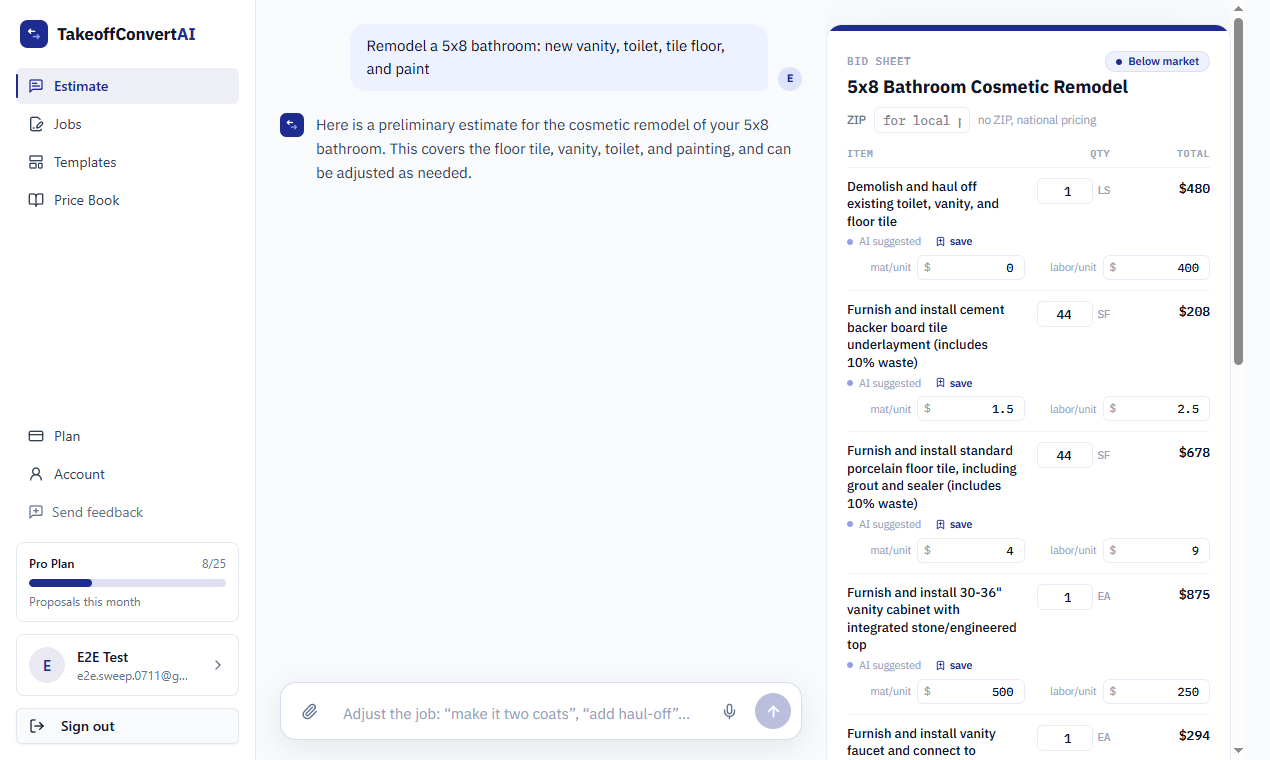
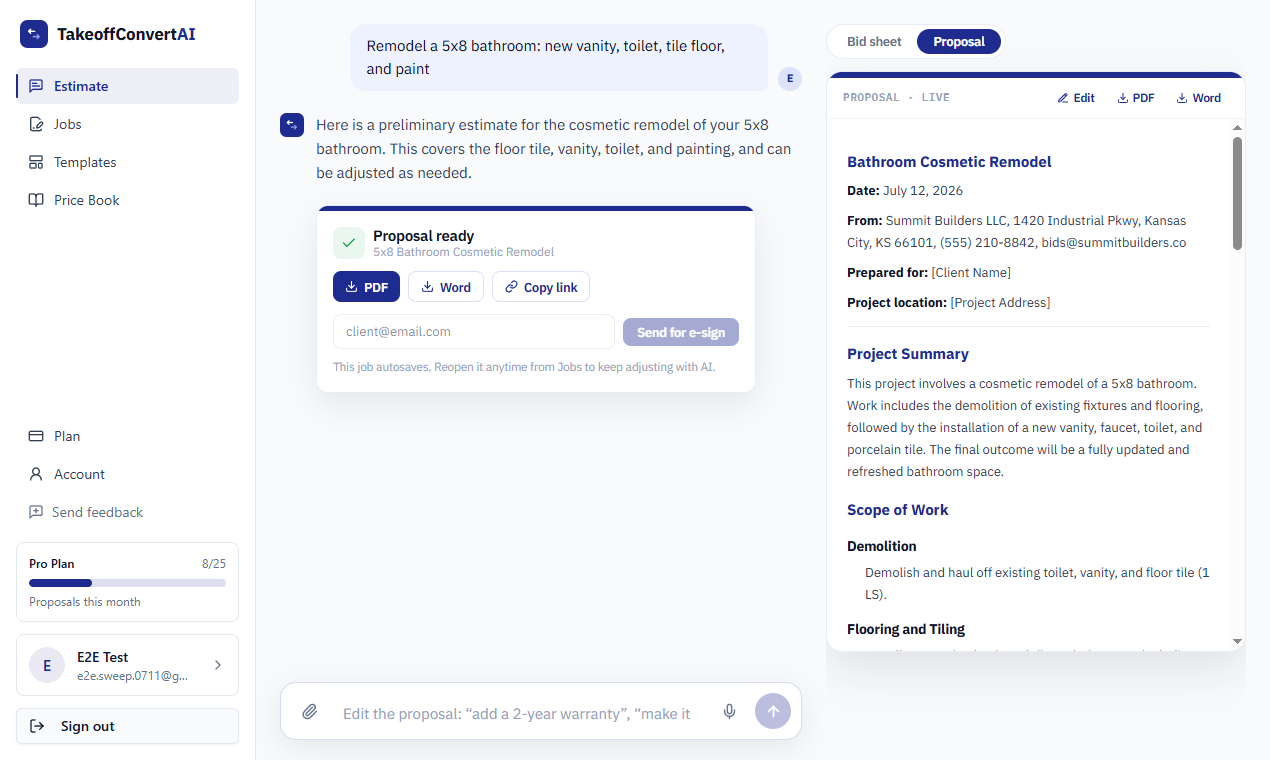
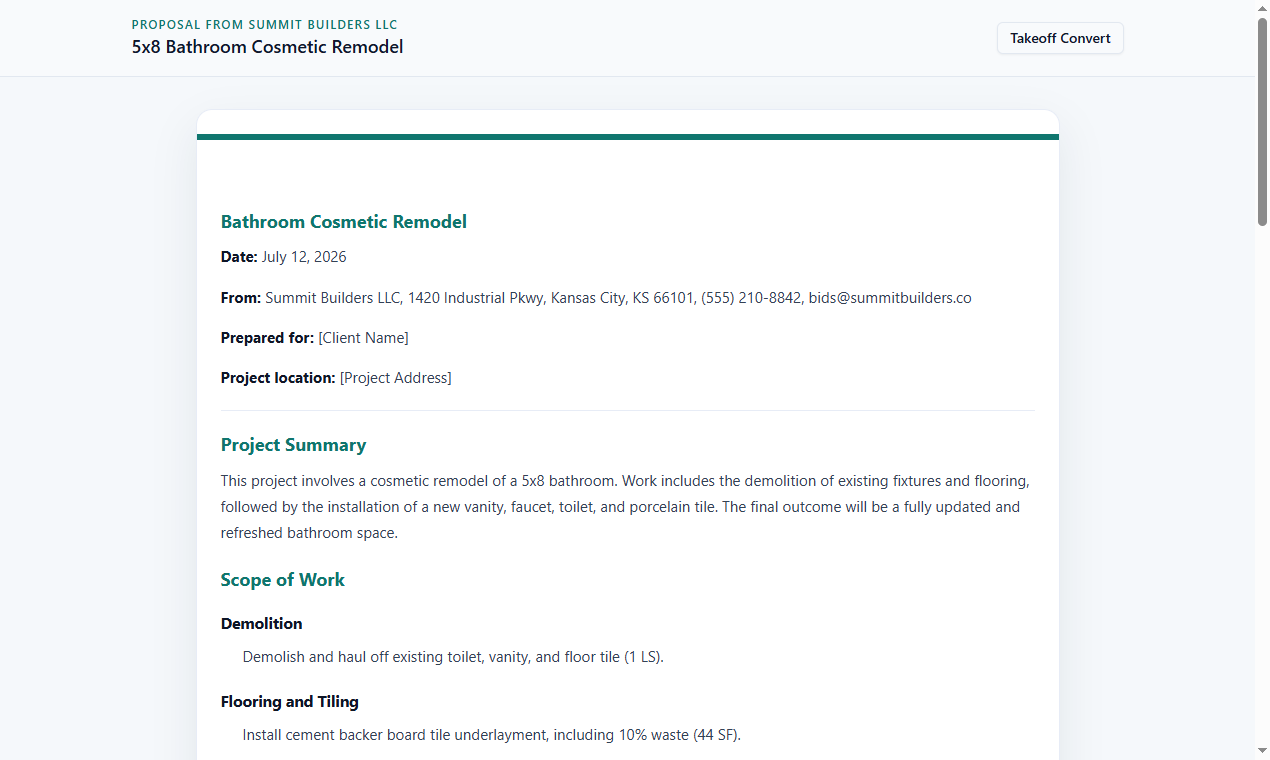
Three screens from the product, not mockups: the described job priced, the proposal, the client's signing page.
Moving your bids off PandaDoc
- 1
Move the words, not the layout
Copy your standard scope language, terms, warranty and payment terms from PandaDoc content blocks into Account → Proposal defaults. They print on every Takeoff Convert proposal automatically.
- 2
Stop retyping line items
Describe the job or upload the takeoff. The lines, quantities and starting prices are generated; your price book overrides where you have a number.
- 3
Keep e-signature parity
Takeoff Convert's hosted proposal link includes accept, e-sign, decline-with-reason and deposit. Signed PDFs are stored on the job.
- 4
Use PandaDoc for the rest
If subcontracts, lien waivers or HR paperwork run through PandaDoc, keep its free or Starter plan for those and move only bids.
PandaDoc vs Takeoff Convert: questions contractors ask
Can PandaDoc create a construction estimate?
It can present one. You build a pricing table by typing or picking catalog items, and an AI assistant can draft text, but nothing in PandaDoc measures, quantifies or prices construction work. Takeoff Convert generates the lines and prices them from your book, BLS wages and supplier pages.
How does per-user pricing compare?
PandaDoc Business is about $49 per user per month billed annually, so three estimators cost roughly $147/month. Takeoff Convert Business is $99/month for 3 seats with a shared price book; Pro is $29/month for one.
Is Takeoff Convert's e-signature legally valid?
Yes. The client accepts and signs on a hosted page with an audit record (time, IP, signer name) and the signed PDF is stored with the job. For the e-sign law itself, read our guide on getting construction proposals signed online.
Can I keep my PandaDoc templates?
The layout does not import, but the text does: terms, warranty, exclusions and scope paragraphs paste into proposal defaults or into the proposal editor. The structure then comes from one of 8 construction templates built for itemized scopes.
Does Takeoff Convert integrate with my CRM?
No CRM integration today. Clients live in Takeoff Convert's own client list; proposals export as Word or PDF for attaching elsewhere. If CRM sync is essential, PandaDoc is the stronger document layer.
Takeoff Convert plans
Flat monthly pricing. Starting at $29/month vs PandaDoc's $49/user/month.
Free
Price your first jobs, no card
3 quotes, no card
- 3 quotes with cited prices
- Watermarked PDF
- 3 proposal looks
- Your price book and markups
Pro
For the contractor who sends the bids
7-day free trial • Cancel anytime
- Unlimited quotes with cited prices
- All proposal looks
- Send for e-signature
- Deposits from the signed proposal
- Learned price book
- 150 AI edits a day
Business
For an office with a few people quoting
7-day free trial • Cancel anytime
- Everything in Pro
- 3 seats
- Shared price book
- Priority support
Try the describe-the-job estimate on one of your real jobs
Type the job the way you'd say it to your crew. Labor from the BLS wage for your metro, materials from live supplier prices, each with its source. No account for the first job.
Price a job free